Administration
Through the management port, a credential with the permissions of administration edits the schemas from the IDE:
their lambdaORM.yaml as YAML or as forms, the variables of their connections, the commands of the CLI on their
stages, and new schemas. What the gateway does with each change is explained in
Administration.
| Permission | Allows, in the IDE |
|---|---|
schemaRead |
the rows config, application, infrastructure, data and src of the explorer; the About of a schema |
schemaWrite |
Edit in the YAML and the forms; + new entities, enums, sources, mappings, stages; ✎ of the entities |
schemaAdmin |
New schema, remove a schema; set and remove the variables of the .env |
ddl |
push, pull, drop |
stageImport |
import, incorporate |
build |
build |
workbenchWrite |
export → data/ |
The schemas are read again every 5 seconds (every 60 while the events of the gateway arrive): one added, removed or reloaded shows without reloading the page, and a new version that didn't start shows ⚠ with its reason while the previous one serves.
The schema tab
A click on a schema opens Schema name: a Stage, the commands, its About and the Last commands.
| Command | What it does | Before running |
|---|---|---|
| fetch | compares the model with the databases of the stage | runs at once: No differences: the databases are in step with the model |
| export | the data of the stage, to download (northwind-default.json) |
runs at once |
| export → data/ | the data of the stage, to data/ of the workspace |
runs at once |
| import… | an export file into the stage | shows the rows it will write |
| push… | applies the model to the databases (creates and alters tables) | shows the sentences, by source |
| pull… | brings the databases into the model | shows how lambdaORM.yaml will change |
| drop… | removes the tables of the stage | shows the sentences; you type the name of the stage to confirm |
| introspect… | creates an entity from a data file | shows how lambdaORM.yaml will change |
| incorporate… | creates an entity from a data file and imports its rows | shows the change and the rows |
| build… | generates the code of the model: a .zip, or src/ of the workspace |
the language: node or client-node |
| version | the versions of λORM in the gateway | runs at once |
Push and drop have go on after a sentence fails (tryAllCan). Run push (red) runs it; Cancel doesn't. Each command runs as a job: its state (running, done, failed) and its result show under it, and Last commands lists them (a click shows one again). A command the credential can't run is disabled.
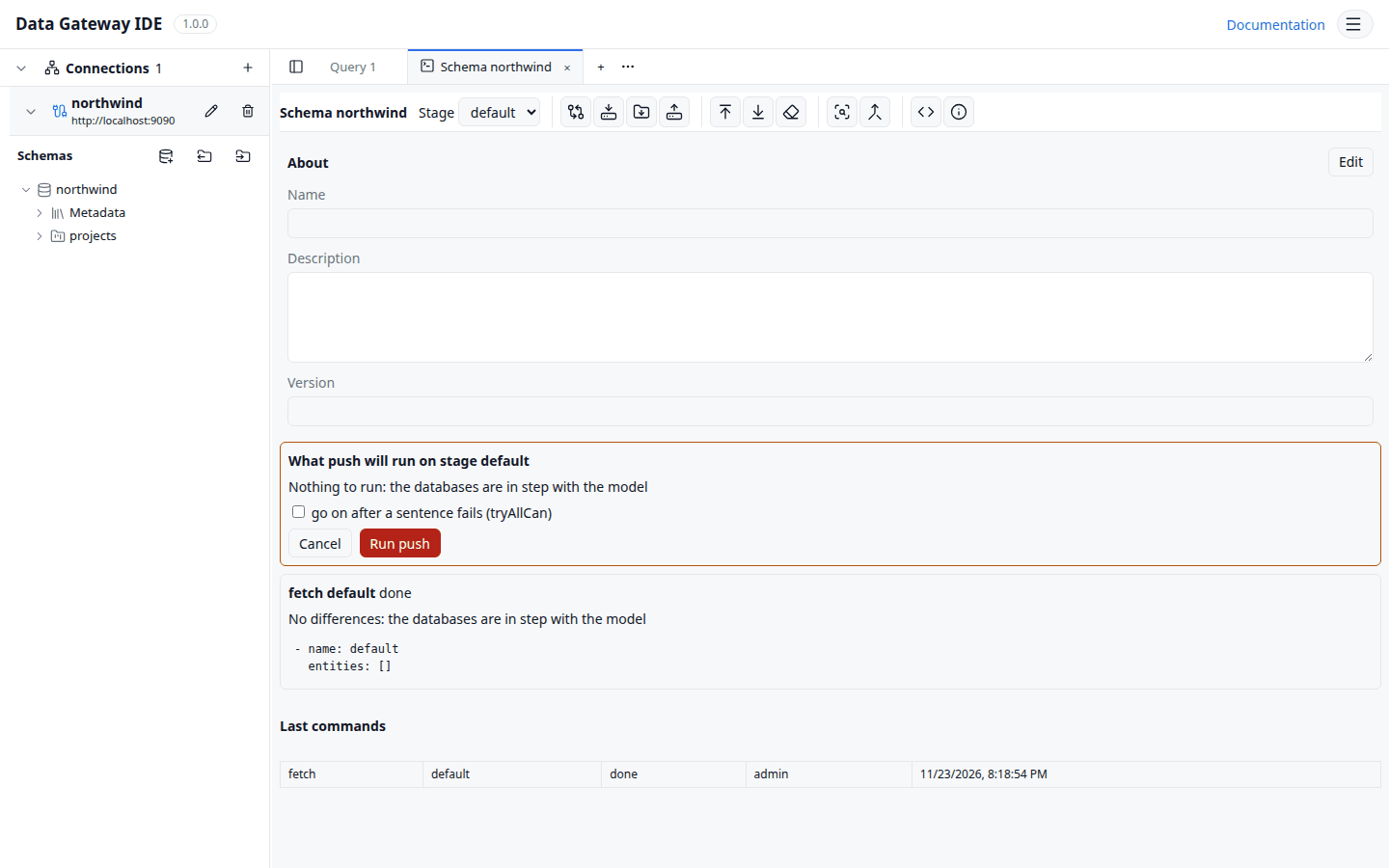
About has the Name, Description and Version of the schema (the keys at the top of its
lambdaORM.yaml), with Edit.
The YAML
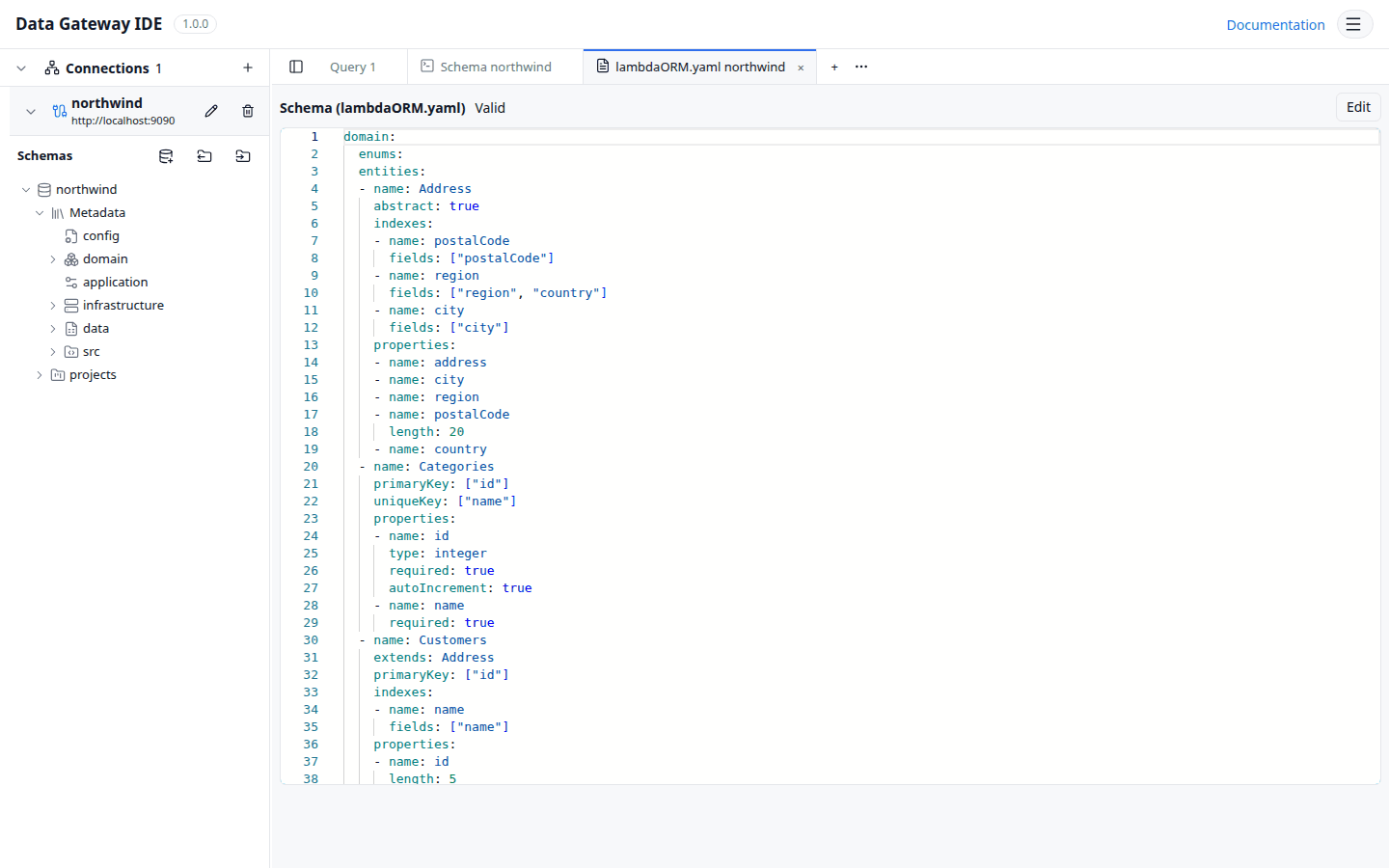
config opens the lambdaORM.yaml of the schema in an editor that checks it while you type (3 errors,
Valid), with the suggestions of its schema. Edit, then Save (Ctrl+S): Saved: the gateway reloads the
schema. A schema with errors is not saved. The secrets are never shown: the connections are in the variables
(below).
If someone else saved a new version while you were editing, both are shown side by side, On the gateway and Yours: Save mine over it, or Take the one on the gateway.
Forms
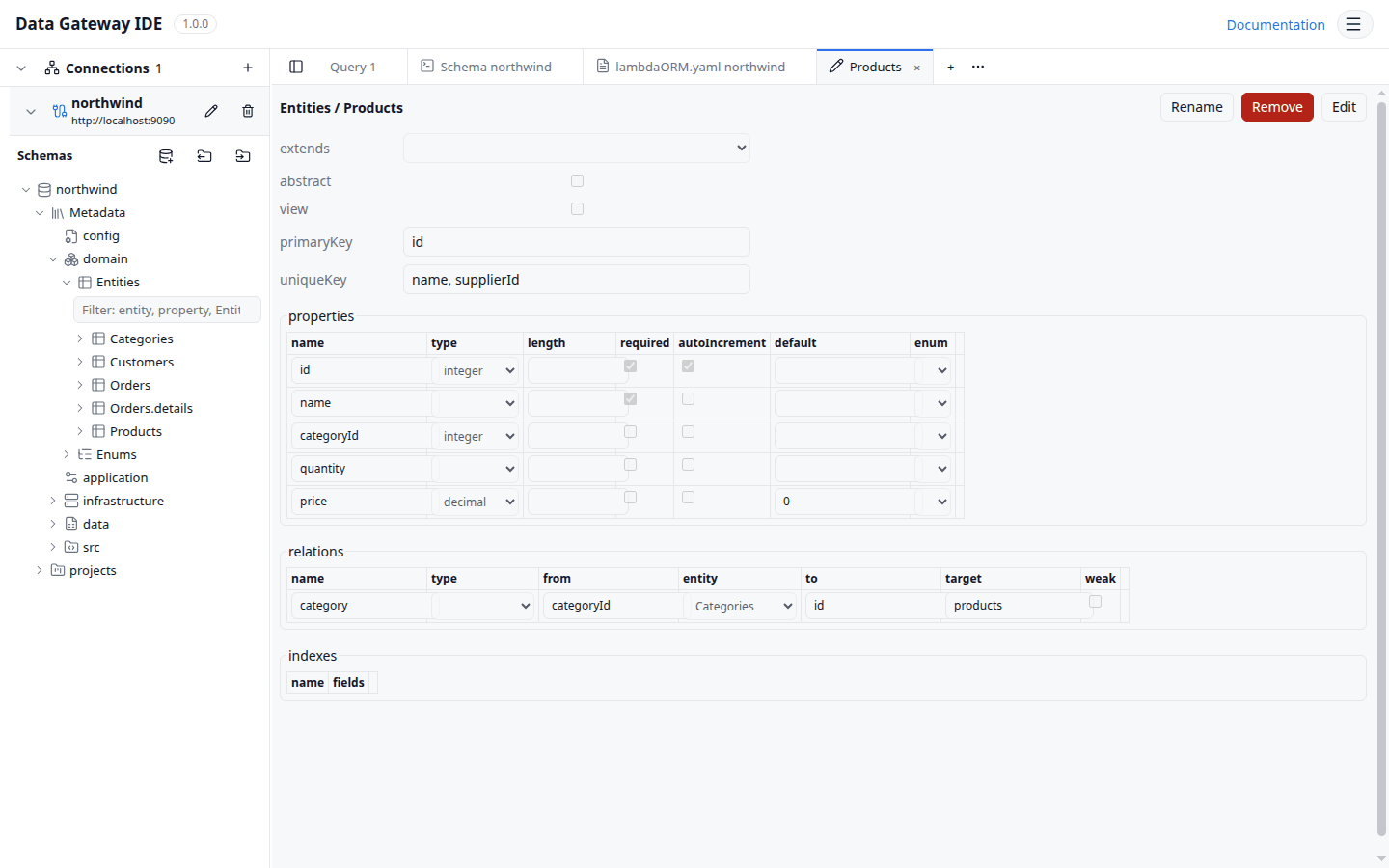
Each element of the schema has its own form: an entity, an enum, a source, a mapping, a stage. It opens read only: Edit → Save or Cancel; Rename; Remove (it says first what uses it). The + of Entities, Enums, Sources, Mappings and Stages opens a new one. Saving changes only that element, and keeps the comments of the file.
| Form | Fields |
|---|---|
| Entity | extends, abstract, view, primaryKey, uniqueKey; its properties (name, type, length, required, autoIncrement, default, enum), relations (name, type, from, entity, to, target, weak) and indexes |
| Enum | its values (name, value) |
| Source | dialect (PostgreSQL, MySQL, MariaDB, SqlServer, Oracle, MongoDB, SQLjs), mapping, connection (${NORTHWIND_DB}) |
| Mapping | extends; the name of each entity in the database |
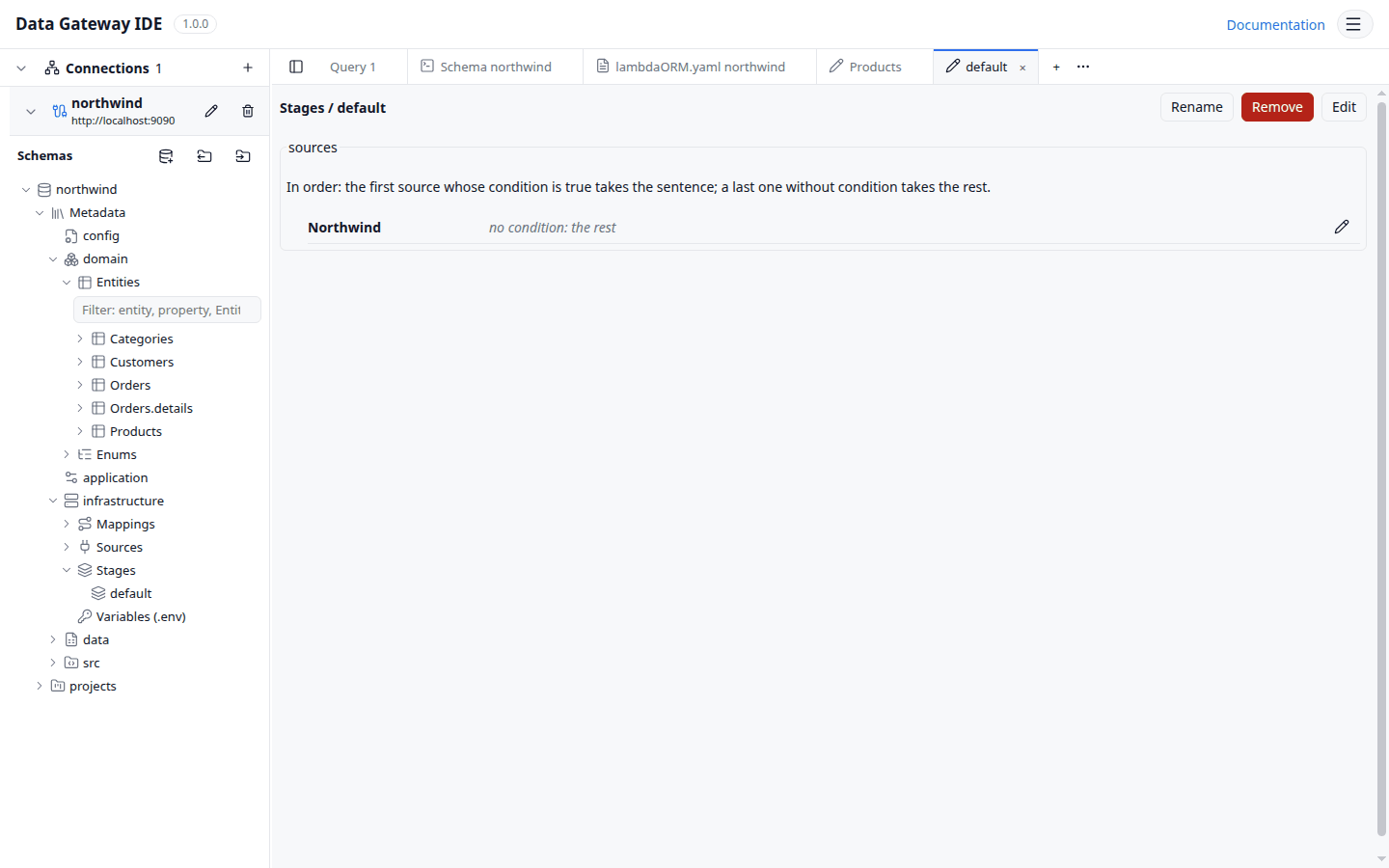
| Stage | its sources in order, each with a condition: the first whose condition is true takes the sentence; a last one without condition takes the rest |
The condition of a source in a stage is edited in its own dialog: an expression (entity.in(["Products","Orders"]) &&
read) with suggestions, checked by the gateway while you type, and the variables of a sentence to insert.
application is edited as YAML (its start tasks and listeners).
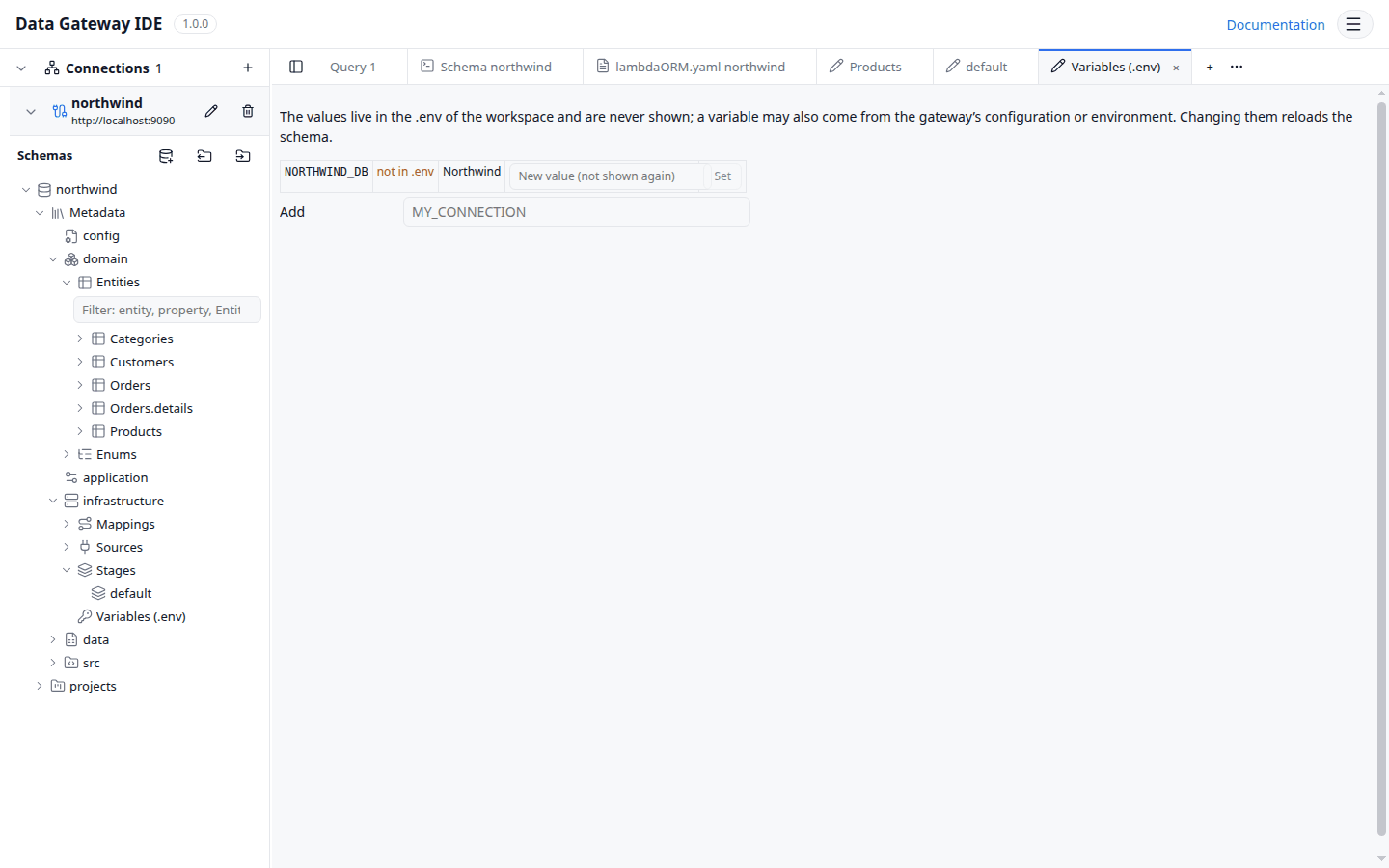
Variables (.env)
The variables of the .env of the workspace: each one defined or not in .env, and where it is used. Their
values are never shown. With schemaAdmin, New value and Set, Remove, and Add a new one; changing them
reloads the schema. A variable may also come from the configuration or the environment of the gateway.
data and src
data lists the files of data/ of the workspace, and src those of the model: each one opens read only, with the
colours of its type.
New schema, remove a schema
With schemaAdmin, New schema (in the head of Schemas): its Route (sales/v1), Name and Description,
starting from an empty schema or a copy of another one: Schema sales/v1 created: it starts in a moment. A
gateway whose schema is at the root (/) serves only that one.
The 🗑 of a schema removes it, after typing its route: its workspace goes to .trash of the volume, nothing is deleted.