Diagrams
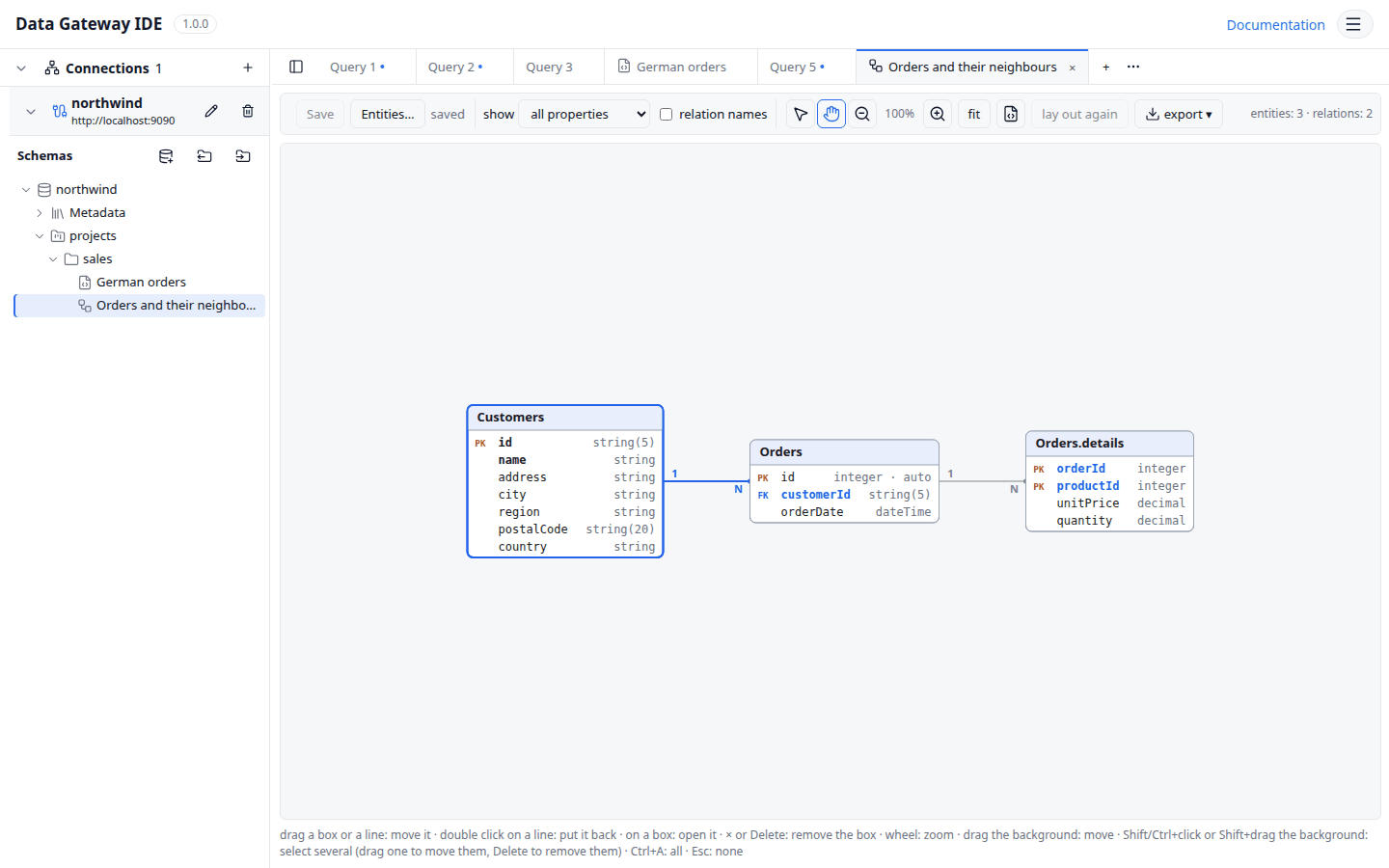
A diagram of the domain draws the chosen entities as boxes, with their properties, types, PK and FK (the required ones in bold, an abstract entity in italics), and their relations as lines with their cardinality (1 — N, 1 — 1); an inheritance is a dashed line with a hollow triangle. Diagrams are saved in a project, like the queries.
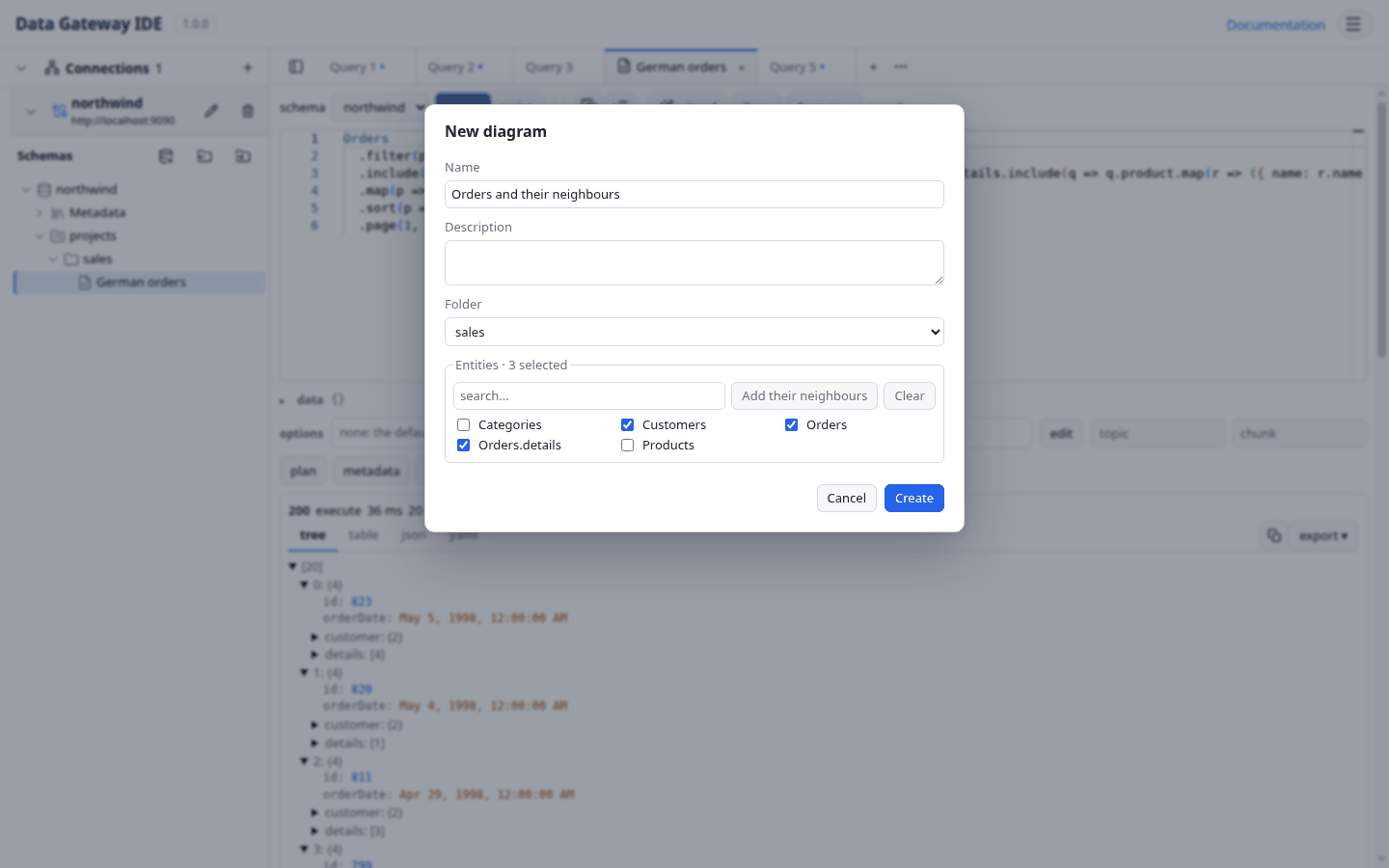
A new diagram
The + of a folder (or of projects) → New diagram: a Name, a Description, its Folder and the entities, searched, ticked one by one, or completed with Add their neighbours (the entities related to the ones ticked); Clear unticks them all. Create opens it.
In a diagram
| To | Do |
|---|---|
| lay it out | it is laid out when it opens (ELK); lay out again returns to it after moving boxes |
| move a box or a line | drag it; a line keeps its ends on the rows of the fields it joins; a double click on a line puts it back |
| select several | Shift or Ctrl and click, or Shift and drag the background (the select tool: dragging the background selects); Ctrl+A all, Esc none |
| add entities | the + of a box: its related tables not in the diagram; or Entities… |
| remove an entity | its ×, or select it and Delete; remove the selected (n) |
| zoom and move | the wheel; drag the background (the move tool); zoom in, zoom out (5 % to 300 %), fit shows it all |
| open an entity | double click its box: its form |
| query its data | query of the diagram: a query tab that reads what it shows, from the box selected or the most related one |
| see less | show: all properties, keys (PK and FK), primary key, or the table name only; relation names on the lines |
| export it | export: PDF, PNG or SVG, the whole diagram, with the colours of the theme |
Save (Ctrl+S) keeps the entities, the place of every box and line, what it shows and the names of the relations; saved says it has no changes. A diagram not saved yet stays in its tab after a reload.
The diagram of an entity
The Diagram tab of an entity draws it with its neighbours, read only: entity centres it on another one, and the depth goes to 2 levels or the whole model.
The diagram of the wizard
The query wizard uses the same diagram, with a check on each field of its tables.