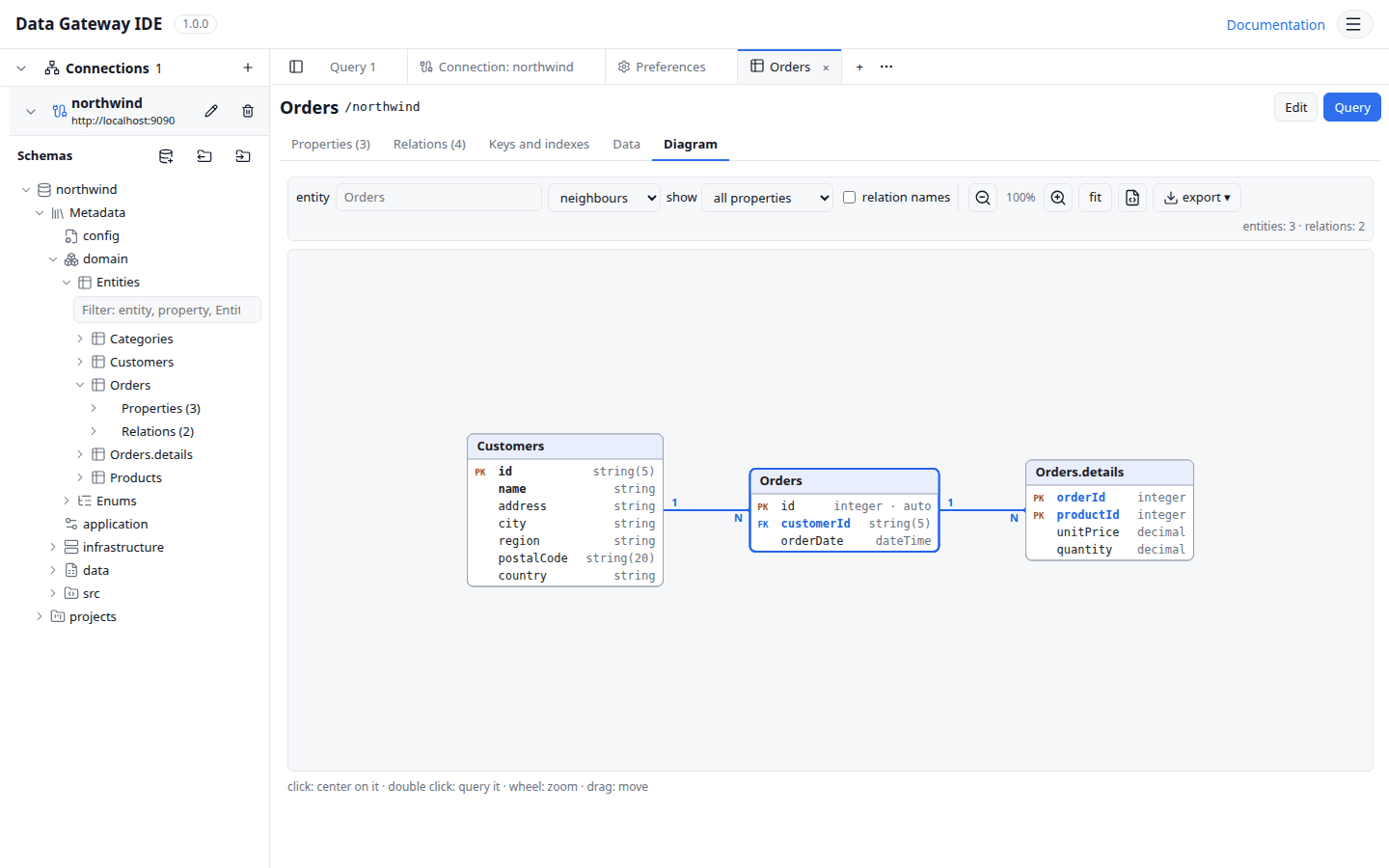
Entities
Each entity of the domain has a form, like a table in a database IDE: a click on its row in the explorer opens it in its own tab.
Its header has the name of the entity, its schema, and abstract, view or extends Entity when it is one;
Edit (with schemaWrite, its form of administration) and Query, which opens a query
tab with Entity.page(1, 10).
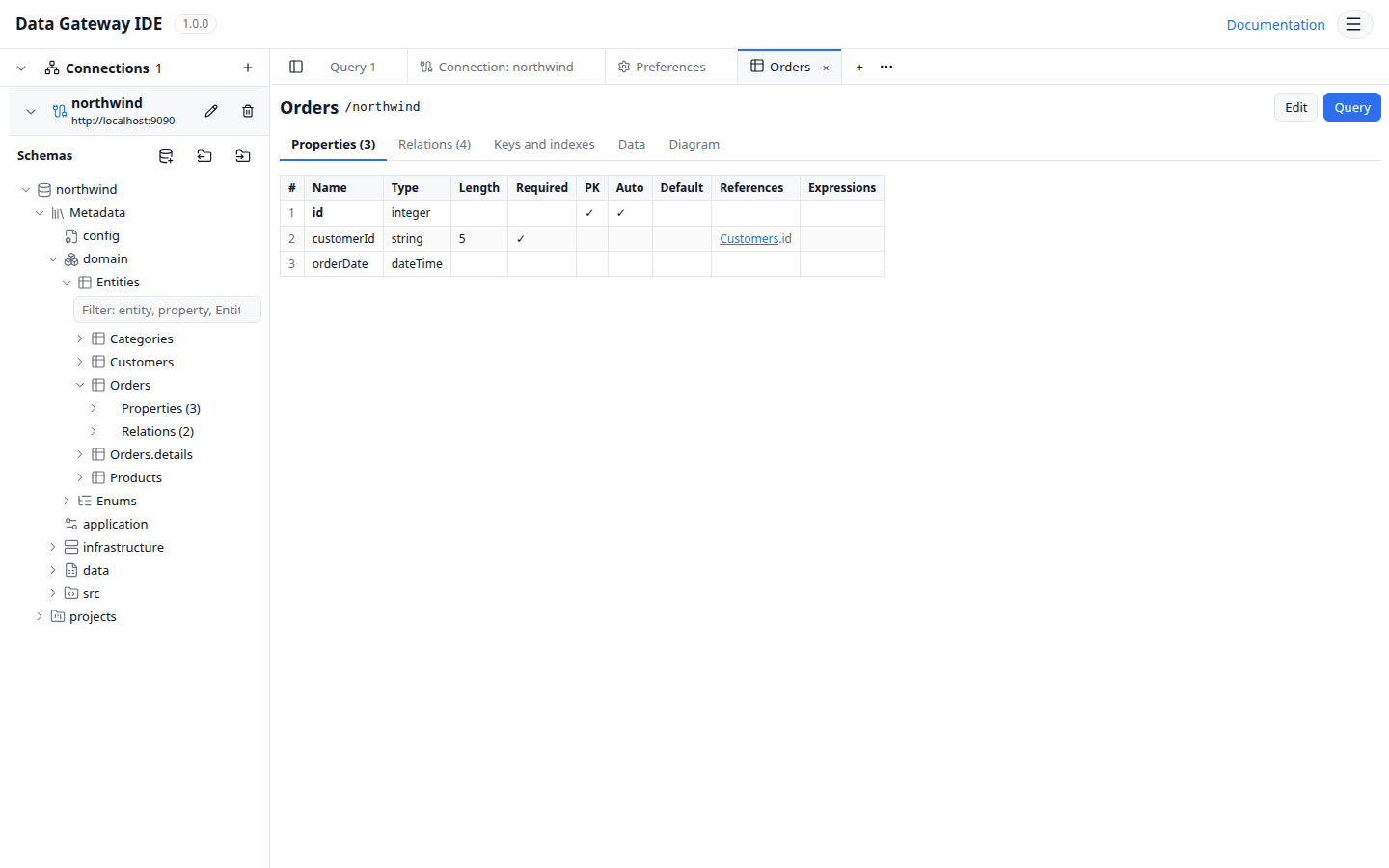
Properties
| Column | What it is |
|---|---|
| # | its position |
| Name | in bold, the primary key |
| Type | string, integer, decimal, dateTime…, or the enum it takes its values from (Status (enum)) |
| Length | of a string |
| Required | ✓ when it can't be null |
| PK | ✓ in the primary key (U when it is also unique) |
| Auto | ✓ when the database gives its value |
| Default | its default value |
| References | for a foreign key, the entity and the property it references: a link to that entity |
| Expressions | the expressions that read or write it |
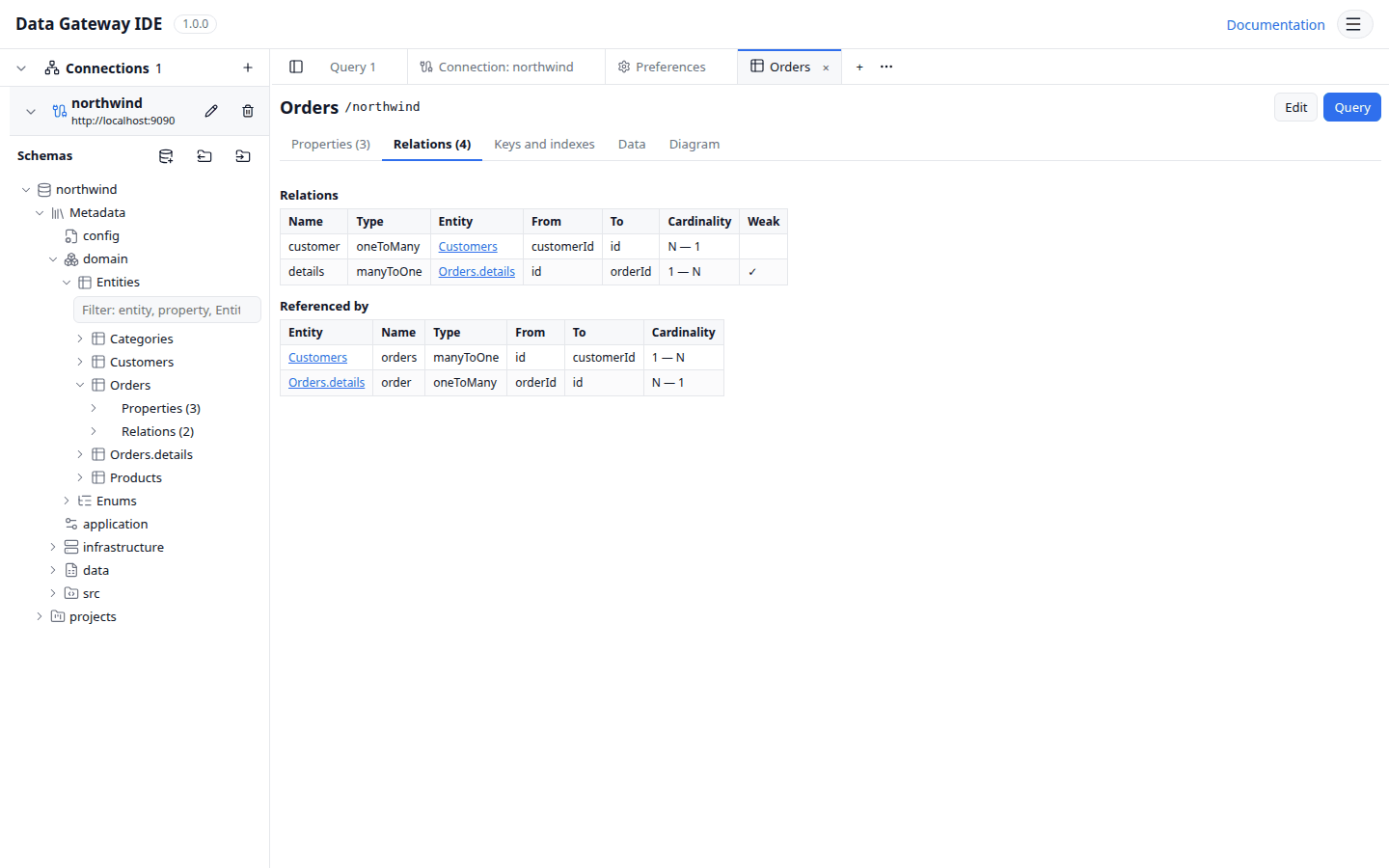
Relations
Relations lists its relations: name, type (oneToMany: to one, as an order to its customer; manyToOne: to many, as an order to its lines; oneToOne; λORM names them from the side of the other entity), the entity
they reach, the fields they join (From, To), the cardinality (N — 1, 1 — N) and whether it is weak.
Referenced by lists the relations of other entities that reach this one. Each entity is a link to its form.
Keys and indexes
The primary key, the unique key, the indexes with their fields, and the constraints with their message and their condition.
Data
Its rows, 50 per page, ◀ Previous and Next ▶: read only (no row is changed here). They are shown as the table
of a result: they can be copied and exported (Orders-page-1.json). An abstract entity has no
data.
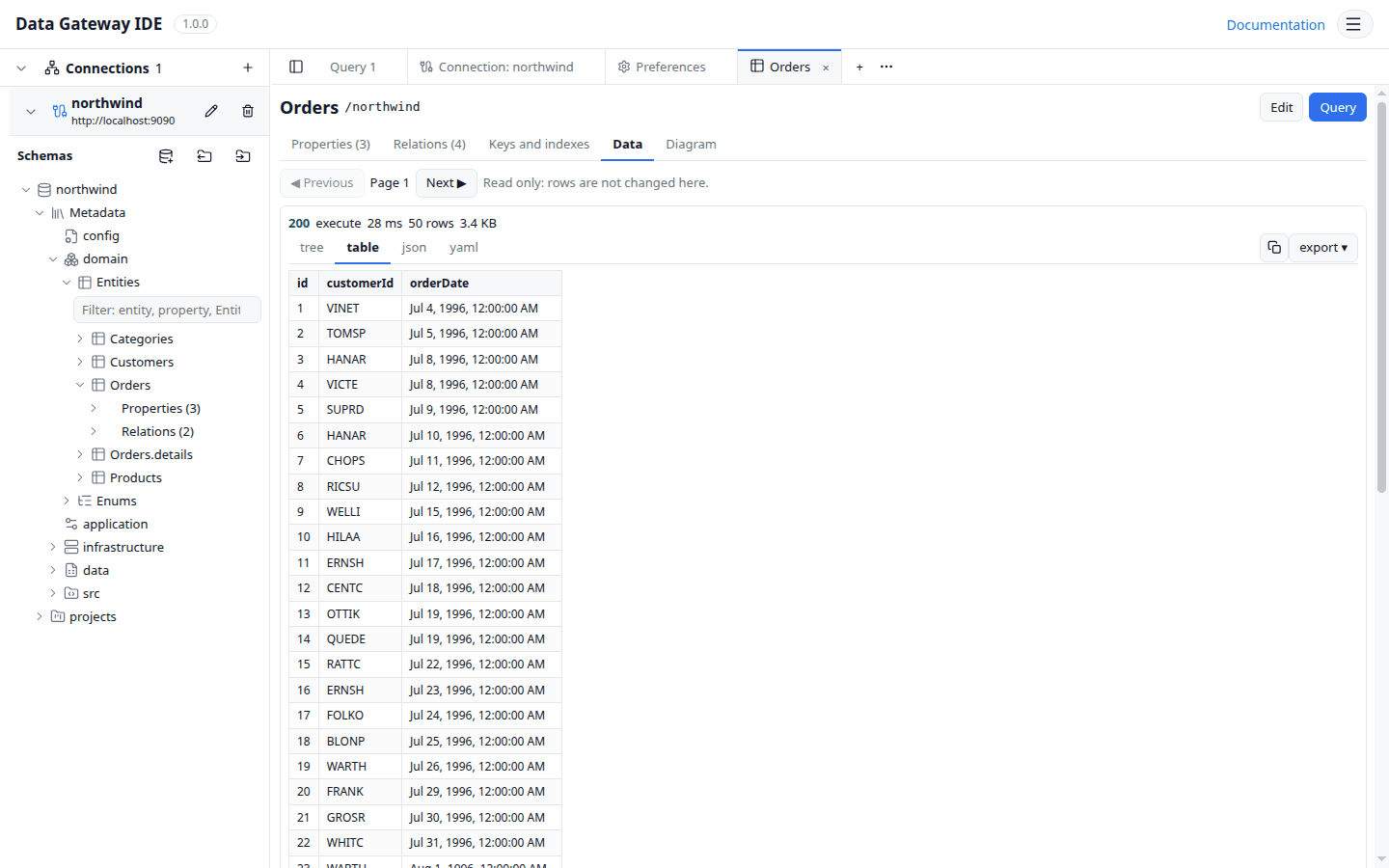
Diagram
The entity and its neighbours, read only. The entity box centres the diagram on another one, and the depth goes from neighbours to 2 levels or the whole model. A click on a box centres it; a double click opens its form. The rest of the diagram (zoom, show, export) is as in Diagrams.