Queries
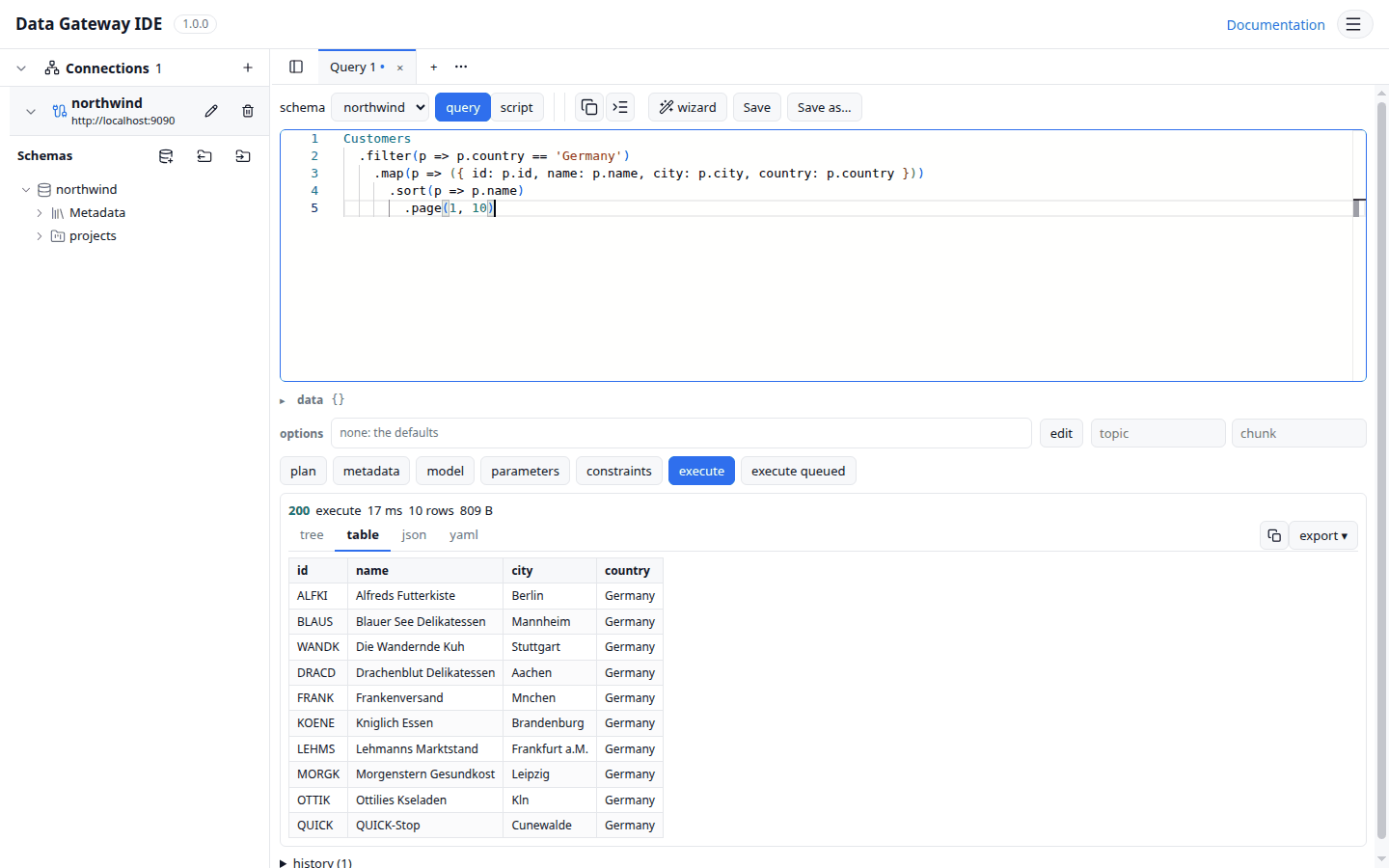
Each query is a tab with its own schema, text, data, options and result; switching tabs loses nothing. A tab is opened with the + of the tabs, with Query of an entity, or from a saved query; the query wizard writes one from a diagram.
The toolbar
| Control | What it does |
|---|---|
| schema | the schema the query runs on (only those that are ready; / is the one at the root) |
| query / script | the mode: a query, or a script, several queries in one transaction (only when the schema has scripts enabled and the gateway offers them). Each mode keeps its own text |
| copy | copies the query (or the script) |
| format | puts each clause of the query on its own line (below) |
| wizard | opens the query wizard on this query |
| Save (Ctrl+S) / Save as… | keeps the query in a project; saved says it has no changes |
The editor
The editor knows the domain of the schema and λORM's language:
-
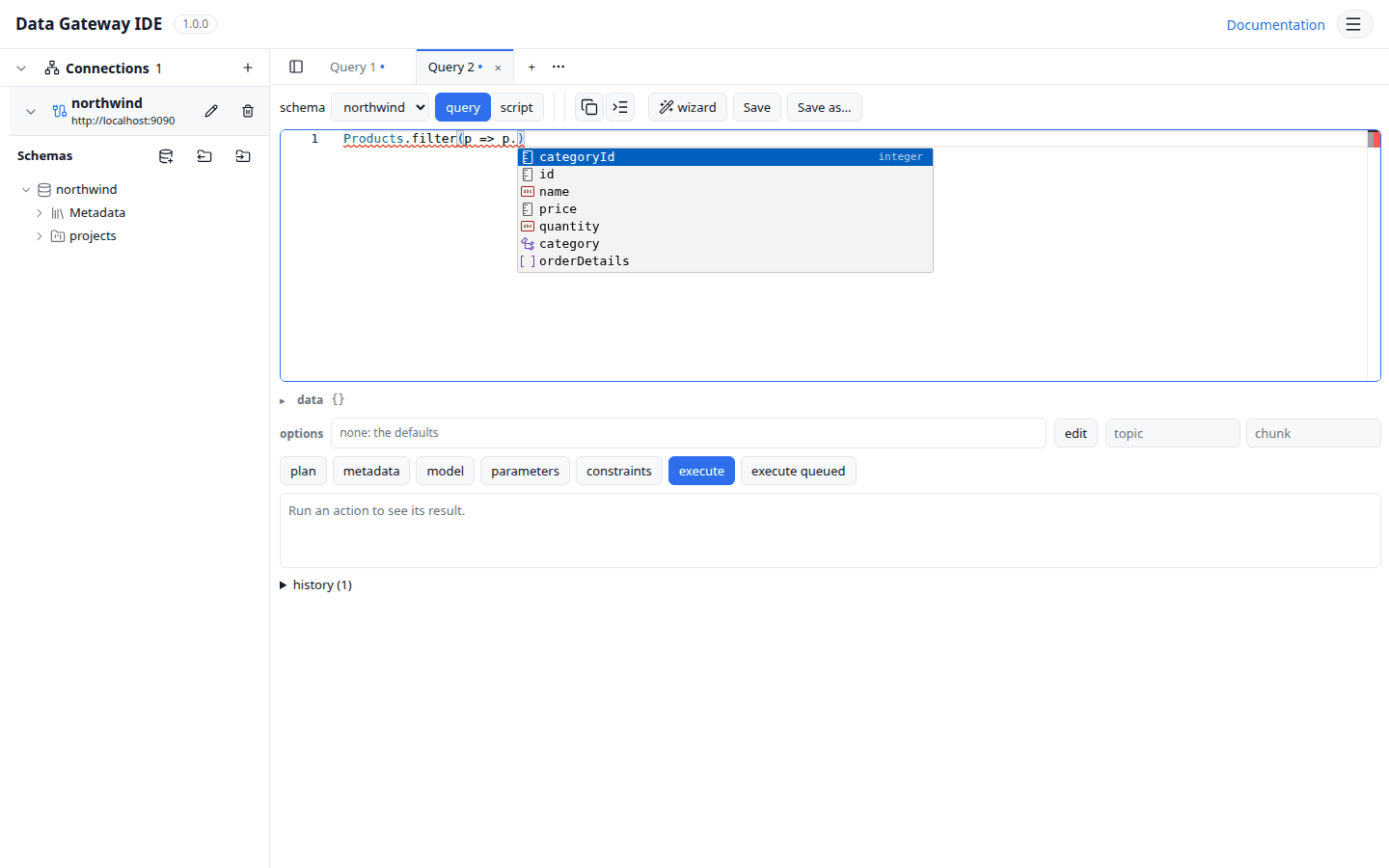
Suggestions while typing, or with Ctrl+Space:
After It suggests an entity, Products., or a clause,….the clauses: filter,include,map,sort,page,first,distinct,having,insert,update,delete…, each with what it doesa variable, p.the properties (with their type, PK, required) and the relations ( → Categories) of its entitya relation to many, p.details.the clauses of a relation ( map,filter,include,first…) and the members of its entitya property, p.name.the functions that fit its type ( upper(),year()…), with their documentationnothing the variables in scope, the entities and the functions -
Errors marked in the text while typing: half a second after you stop, λORM reads the query in the gateway and marks where it fails (
entity Area not found). It needsread. - Ctrl+Enter runs the main action: execute (or execute script).
Format
The format button writes each clause on its own line, indented, and splits an include or a map that doesn't fit in 80 columns, one item per line. Formatting twice gives the same text; the strings are kept as they are.
Orders.filter(p => p.customer.country == 'Germany').include(p => p.customer).page(1, 10)
Orders
    .filter(p => p.customer.country == 'Germany')
    .include(p => p.customer)
    .page(1, 10)
Data
The values of the parameters of the query, as a JSON object: in Orders.filter(p => p.customerId == customer),
customer is a parameter, and data gives it, { "customer": "ALFKI" }. It is folded while it is empty, with its
text on one line; it opens when something fills it. The parameters action fills it with the parameters of the
query, each with a value of its type (0, "", today…), keeping those already there.
Options
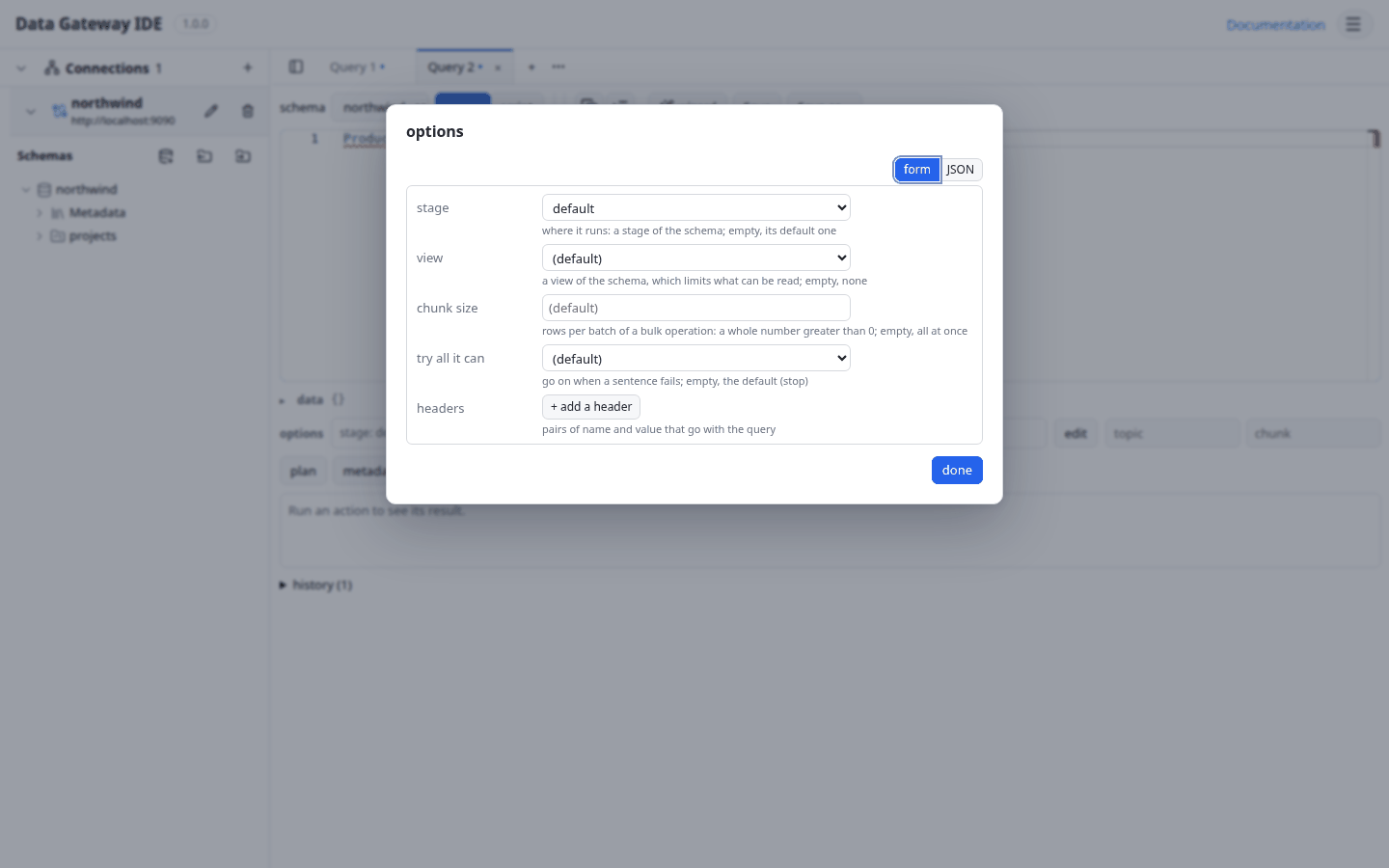
The options the query runs with, on one line (none: the defaults, or stage: default · view: sales), and edit,
which opens them as a form or as JSON:
| Option | What it is |
|---|---|
| stage | where it runs: a stage of the schema; empty, its default one |
| view | a view of the schema, which limits what can be read |
| chunk size | rows per batch of a bulk operation |
| try all it can | go on when a sentence fails |
| timeout (ms) | of a script: it stops after this time (script mode) |
| max iterations | of a script: its loops, all together (script mode) |
| headers | pairs of name and value that go with the query |
An empty field is not sent. Options the form doesn't know are kept as they are in the JSON.
topic and chunk, next to the options, are those of execute queued: the topic of the queue, and the rows per message.
Actions
| Action | What it does | Needs |
|---|---|---|
| plan | the sentences it would run on each source, without running them | read |
| metadata | what the query reads and gives: its fields, types and parameters | read |
| model | the shape of its result | read |
| parameters | its parameters; fills the data | read |
| constraints | the constraints it checks | read |
| execute (Ctrl+Enter) | runs it | read, or write for a query that writes |
| execute queued | sends it to the queue of topic, to run later | queue |
| execute script | runs the script (script mode) | script, and scripts enabled in the schema |
An action the credential can't use is disabled, and its tooltip says why. plan, metadata, model, parameters and constraints read only the text of the query: they send no data and no options.
The result
The status, the operation, its time, the rows and the size; then four views:
| View | Shows |
|---|---|
| tree | the result unfolded two levels, each list and object with its size |
| table | the rows as a table, when the result is a list of rows; an object in a cell, as JSON |
| json / yaml | the text, with colours, folding and search |
- The tree and the table show up to 200 rows (
Showing 200 of N rows: the downloads have all of them); numbers and dates follow the regional format of the preferences (the value as it came, in its tooltip). - copy copies what is shown; the table, as tab-separated text, ready to paste in a spreadsheet.
- export downloads the whole result as JSON, YAML or TXT (tab-separated).
- An error shows its name, code and message. When the gateway suggests a name (
entity Area not found; did you
  mean Areas?
), use Areas replaces it in the query.
History
history (N), under the result: the last 30 queries of each schema that were executed, newest first, with their data and options (never a result or a credential). A click brings one back; clear history empties it. It is kept in the browser.