Projects
What you keep of a schema, under projects in the explorer: folders, queries and diagrams. A project is a folder at the top; folders nest to organise what is saved.
Adding
The + of projects or of a folder:
| Item | What it asks |
|---|---|
| New project / New folder | a name, a description and the folder it goes in |
| New query | opens a query tab in that folder; its first Save asks for its name |
| New diagram | a name, a description, the folder and the entities (Diagrams) |
Saving a query
Save (Ctrl+S) in a query tab: the first time, it asks for a Name, a Description and a Folder; then it saves in place. Save as… saves a copy with another name. What is saved: the mode, the query or the script, the data, the options and, when the wizard wrote it, the wizard.
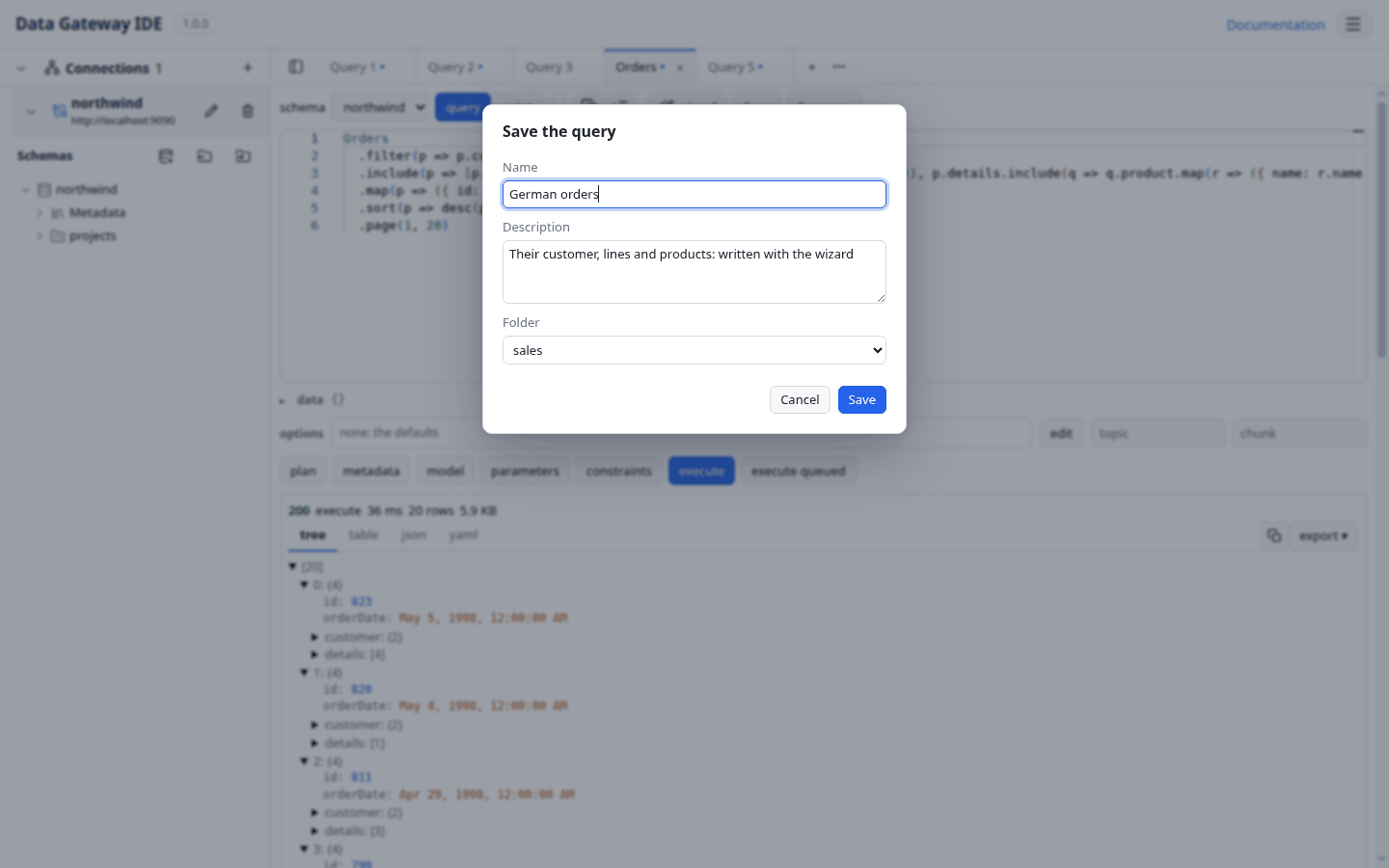
- A • in the tab marks changes not saved; once saved it says saved.
- A saved query whose schema is changed in its tab is saved as a new one.
- Opening a saved query that is already open goes to its tab.
Editing, moving, deleting
Each row has Edit (its name, description and folder) and Delete (asked first; a folder takes what it holds).
Items are moved by dragging them onto a folder, or onto projects to take them to the top, within the same
schema. Two items of the same kind can't have the same name in a folder (There is already one with that name here).
The description shows when the pointer is over the item.
Where it is saved
| The credential has | What is saved goes to | Seen by |
|---|---|---|
workbenchWrite |
the workbench/ folder of the workspace of the schema, in the gateway: one file per item (sales/German orders.query.yaml) |
everyone who uses that schema, from any browser or the desktop app |
no workbenchWrite |
this browser, in its storage, apart for each gateway and credential | only this browser on this device, with that credential |
In the workspace, two people saving the same item at once is detected: the second is told that someone else changed it
meanwhile, and the item is read again. Files of workbench/ that can't be read are listed in the explorer, to fix them
by hand.
In the browser:
- what one credential saves is not seen with another (only the name of the credential is used for this, never its secret);
- it goes if the data of the site is cleared; in a browser that doesn't allow storing (some private windows), the explorer says so, and it lasts until the page is closed;
- with
workbenchWritegiven later, the explorer offers once to Copy them to the workspace.
Export and import
Export (in the head of Schemas) downloads everything saved with that connection to a JSON file
(lambdaorm-workspace-2026-11-23.json): a backup, or a way to take it to another browser or to someone else.
Import reads such a file: Add to what there is (an item with the same id is replaced) or Replace everything
(only in the browser: in the workspace an import always adds, since it is shared).